Advanced Character Stats System
This product enables you to make survival games and adventure games.
Overview
- Multiplayer Replicated support
- 4 stats Health . Stamina .Food .Water
- 2 ready Stats Widget Style
- You can modify the system from Data Asset
- easy use
- Save Game support
- Full control over States of Max Value and Normal Value
- Control the speed of thirst decrease and food
- Controlling logic, for example, if thirst = 0 , health will decrease You can cancel or enable it ....
- You can choose the state you don't want . For example, I don't want to use food. I can cancel it
- You can add it even if the character is an enemy
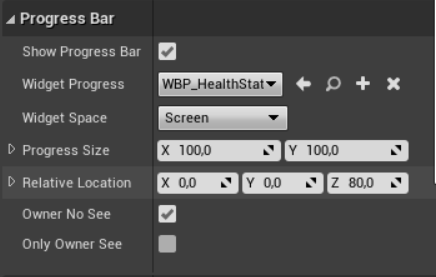
- Progress bar above the player or enemy you can modify as you like
How to setup
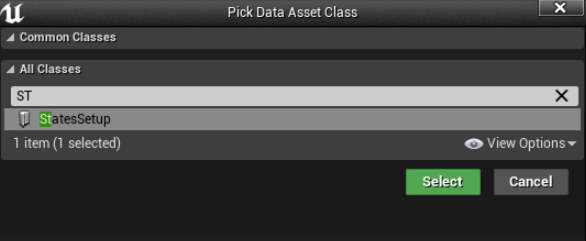
1 Create New Data Asset And Look For StatesSetup
2 Edit anything you want in data asset Don't forget to name her in States Name Because you will use it !
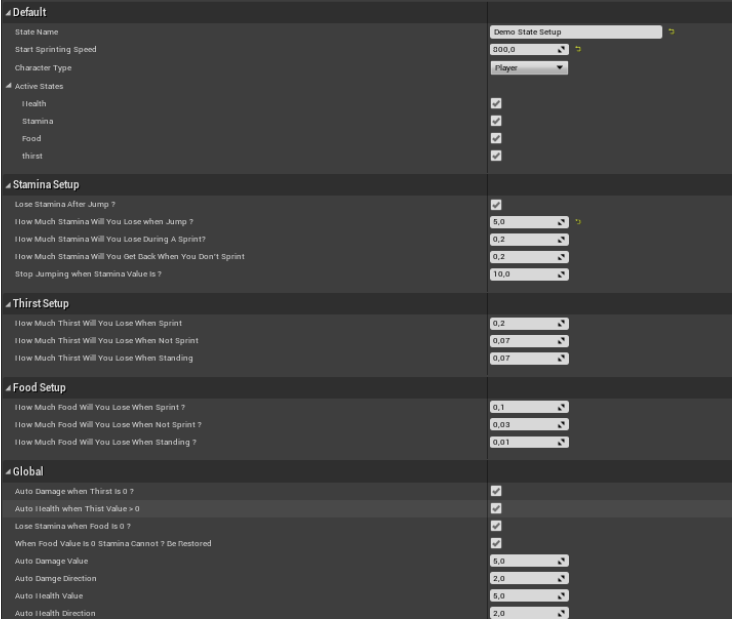
if you character is Enemy in Character Type Select Enemy
if you select Enemy Automatically system Keep Health alone
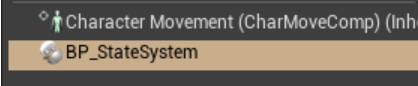
3 Go To Your Player Character And Add
BP_StateSystem
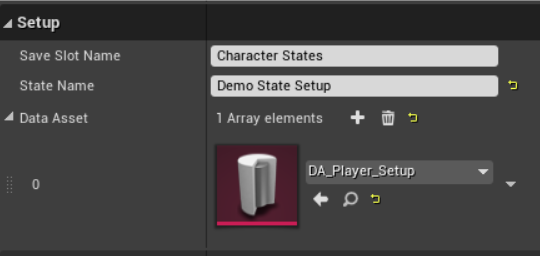
4 Add Your Data asset in Data Asset Array elements.
in State Name add your active data asset name in save Slot Name Add your States Save Game Name .
It is not necessary to use the save game class present in the system. You can use the one you have, but it must be changed from ( BP_StateSystem —> State System —> Save Game / Load game Functions ) .
The variable must also be changed
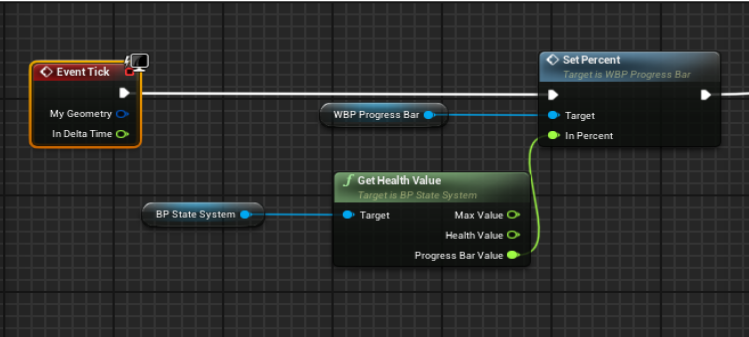
5 Create New Widget on Event Construct cast You Character and state system Comp .

ADD Your progress bar. There are 3 types of ready made progress bar that you can use
Drag your variable and look for State Value
- Get Health Value
- Get Stamina Value
- Get Food Value
- Get thirst Value
How to use
The default maximum value in each stat is 100 You can control the value as you like Add this function.
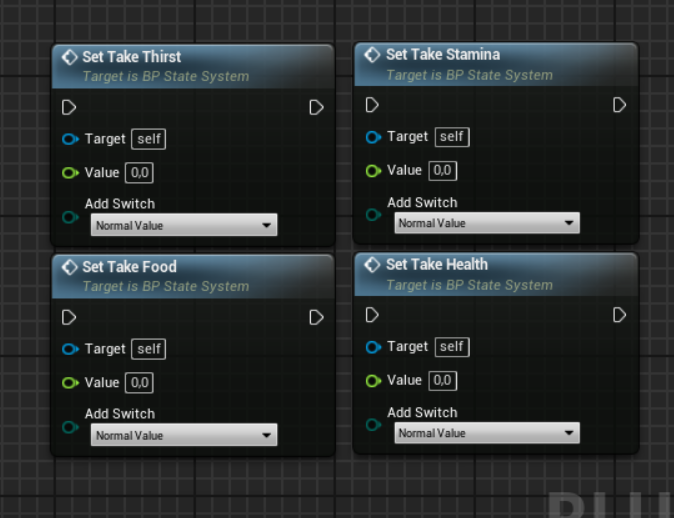
Target : BP_Sate System component
Value : Your Value You Want To Add
add Switch :
- Normal Value : You Normal Progress Value not Max Value
- add Max Value : if max value is 100 is turn 150 If you add 50 in Value
- Set Max Value : if Max Value is 100 is Turn 50 if You add 50 in Value
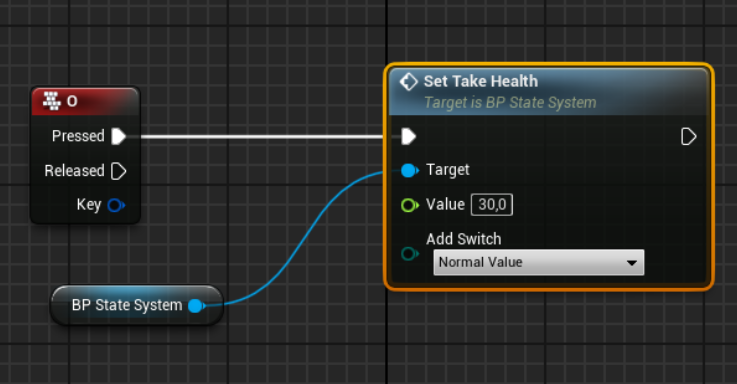
Value 50 Just for Example .
If you want to add health, thirst, food, or Stamina, here is the example
Functions
- Set Take Damage
- Set Take Stamina
- Set Take Food
- Set Take Thirst
They all work the same way
Save Game System
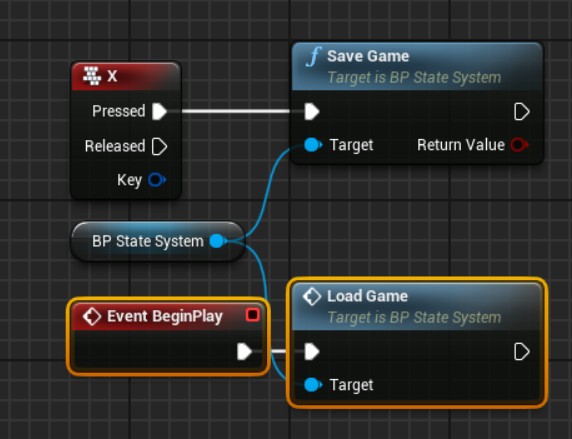
If you want to add a progress bar, choose Show Progress Bar, but you cannot see it. oter client can see it. You can change this from Owner No See or only owner see.